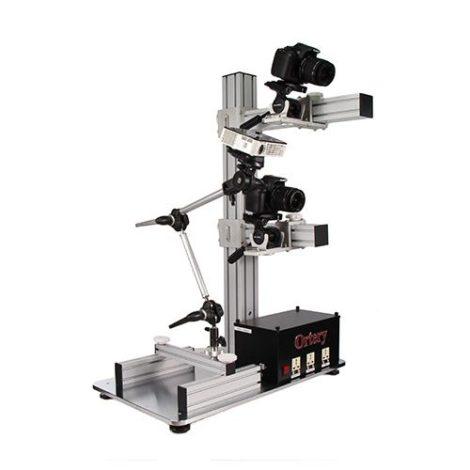
3D600
Get Pricing
Ortery PhotoModeling 3D600 provides a complete photogrammetry solution by automating and simplifying the entire 3D model creation process.
Package Contents
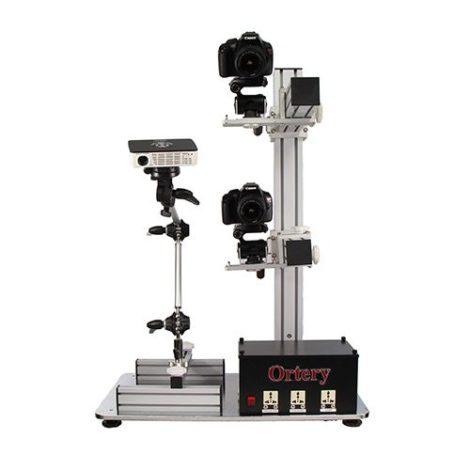
- PhotoModeling 3D600 – Flexible two-arm camera stand
- 3D Modeling Software
- Pico Image Projector and SD Card with Structured Light Templates
- Pre-printed Calibration Mats (10cm,29cm and 50cm diameter)
- USB cord, Power Cord
- 2 White Rotation Knobs (M6 x 20)
- 2 White Rotation Knobs (M8 x 24)
- 2 Spare Black Hand Screws 2
- White Round Product Stands
- #12 Allen Key, Registration Sheet and Cable Ties
- Operation and Installation Guides
| Operating System |
|
| SOFTWARE REQUIREMENTS | COMPATIBLE CAMERAS |


3D Modeling for Medium Objects
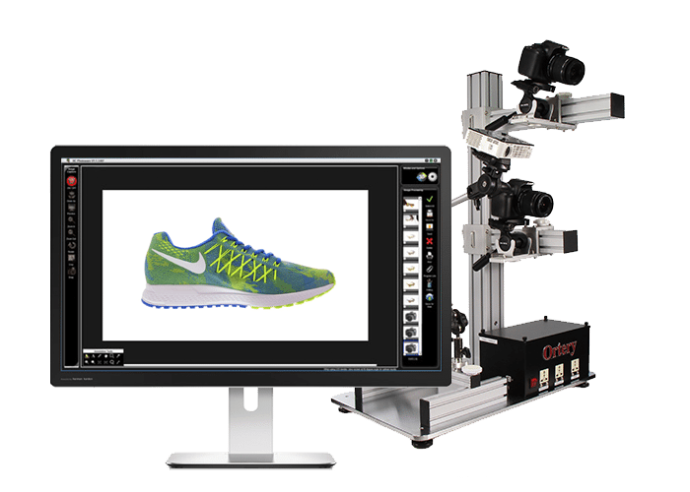
Do you need to turn an existing product or artifact into 3D models? Quickly create 3D models from 360 degree and hemispherical product shots. PhotoModeling 3D600 provides a complete photogrammetry solution by automating and simplifying the entire 3D model creation process. The streamlined process synchronizes stereoscopic image capture with 360 turntable movement, lamp and image projector control. Then, the captured images get passed to a 3D modeling software application for 3D model and colorful texture map generation. Export and view resulting 3D models in common 3D formats or in the cloud.
3D Modeling for Medium Sized Objects
Create professional 3D models using the speed of photogrammetry and the accuracy of structured light scanning. PhotoModeling 3D600 with 3D modeling software maximizes image capture efficiency, reliability and 3D model accuracy. This end-to-end solution makes creating and publishing 3D models fast and simple.
The system utilizes 2 compatible Canon dSLR cameras and includes:
- Flexible Two-Arm Camera Stand
- 3D Modeling Software
- Pico Image Projector
- 3 Pre-printed Calibration Mats
Benefits and Industry Use
- Create Professional 3D Models with Colorful Texture Maps Using a Photography-Based System
- Integrated Hardware / Software Solution Limits Variables and Accelerates Model Creation
- Flexible Two-arm Camera Stand
- Re-Usable Standard Operating Workflow Simplifies and Accelerates Image Capture and Model Creation
- Automated Image Capture and Processing
- Outputs Standard Formats Compatible with Existing 3D Modeling Packages
- Simplified and Advanced 3D Workflows for Professional and Novice Use
- Interactive Geometry and Texture Map Editing
- Works with Multiple Canon dSLR Cameras
- Fast, Precise Wireframe Generation and Surface Optimization Features
- Point Cloud Generation with Automatic Registration and Noise Removal
- Multiple Scans Can Be Combined
- Viewer Support for All Major Browsers; iOS & Droid Apps Available
- Create Professional Stills, 360 Product Views (HTML5) and 3D Models with One System
- AutoPNG - When Used with 3D PhotoBench Images can be Automatically Captured with Transparent Backgrounds
- Automated and Manual Image Masking Capabilities
- Subdivision Surface Fitting and Interactive Mesh Decimation
Software
Image Capture
Computer-Controlled Photography System
Images are captured by both cameras and prepared for 3D modeling using Ortery’s automated PhotoModeling 3D software workflow.
Automated Workflow for Creating 3D Models
The system controls or eliminates many of the variables associated with creating 3D models. The 'Create 3D Model' button in the software memorizes capture preferences and re-uses workflow parameters to streamline model creation.
Interactive Image Composing
Camera viewfinder content is displayed live on the monitor screen. Each detail can be adjusted before taking any pictures. The software offers full camera control for compatible Canon dSLR cameras.
Automatic Image Capture and Processing
Regardless of the Ortery turntable or studio in use, turntable movement and picture taking are synchronized to capture 360 product views of the calibration mat, object and object covered with structured light. Captured images are automatically named and readied for 3D model creation.
System Specific Features
Can be used with a PhotoCapture 360 turntable plus Photosimile 50 / 200 or with a 3D PhotoBench 160 / 260. Each of those solutions comes with its own set benefits.
AutoPNG
The 3D PhotoBench Series (160 / 260) features the ability to create pictures and 360 product views on transparent backgrounds. Sophisticated edge detection technology allows the program to automatically knockout backgrounds in real-time.
Create Professional Still and 360 Product Views
In addition to 3D models, create professional still and 360 product views in JPG, RAW, PNG, TIFF and HTML5, and GIF, respectively.
3D Modeling
Professional User Interface
Wizards help you to easily find and use the extensive set of modeling functions.
Extensive Feature Set
Includes a host of features for building 3D surface geometry from silhouettes (masked photos) and stereo (via a "point cloud"). A powerful set of geometry editing tools are included to refine the results. A texture map can be built automatically and interactively edited for fine control. The models can be exported in standard formats.
Automated Masking Capabilities
Interactive Threshold / Tolerance Selection
Lets you quickly find the best threshold for automatically cutting out the object shape.
Utilize Multiple Configurations
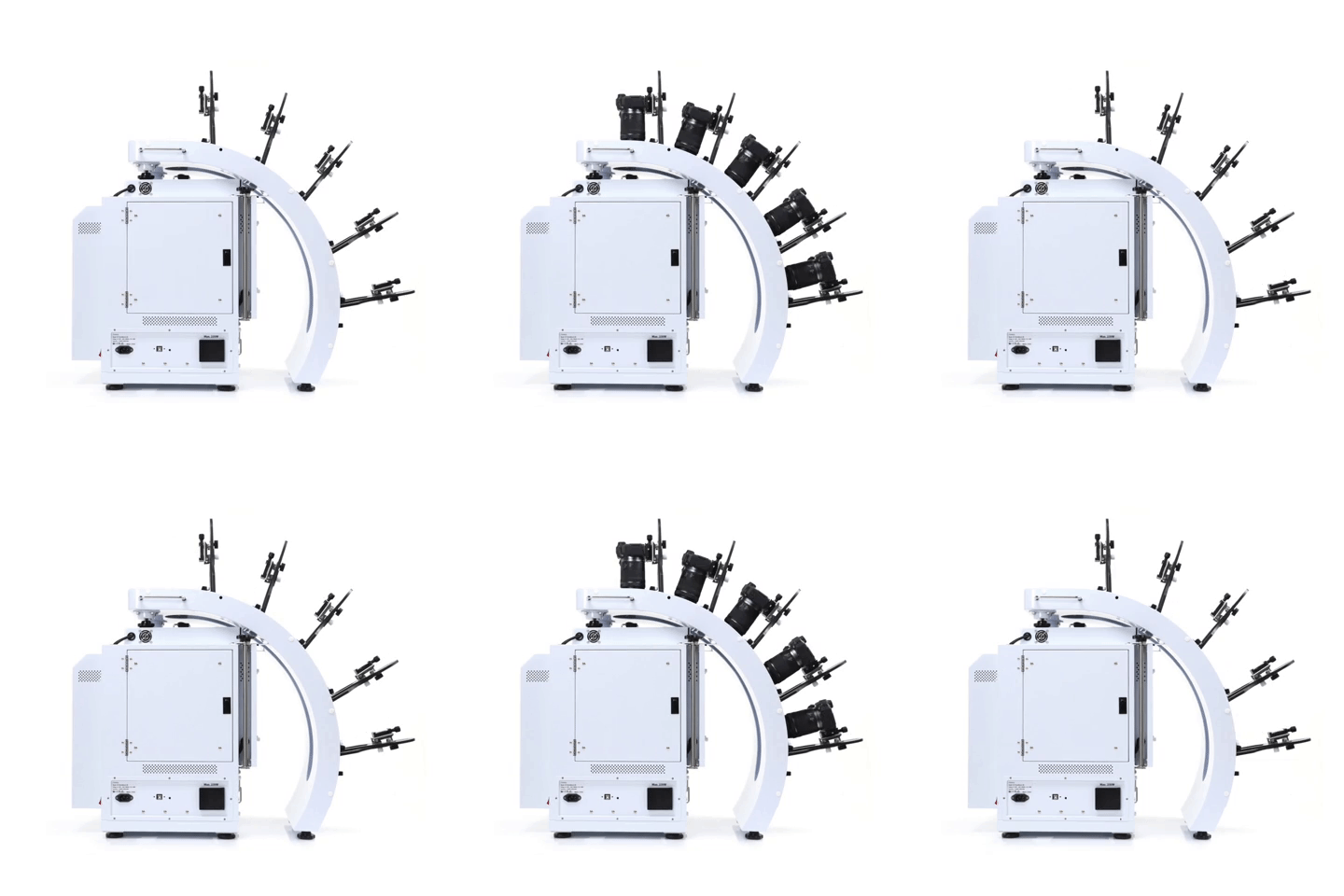
Take pictures and videos with up to 5 compatible Canon cameras. Use different configurations to create unique results.
- Simultaneously control and capture pictures with up to 5 Canon cameras. Take up to 800 images, max 5 rows
- Stable MultiArm rig with 52.57cm – 62.23cm shooting radius
- Create hemispherical views in one rotation, fast
- Universal tripod heads fit all compatible Canon cameras
3D Jewelry Capture Workflows
Automate Capture Workflows
Repeatedly capture jewelry from the exact angles you, automatically. Enjoy a new level of jewelry photography speed and consistency.
Create Hemispherical and Spherical 3D Jewelry Views
Add another dimension to online jewelry display. Show jewelry floating and spinning from every angle, including the bottom. Customers can interact, zoom, and see the fine details.
Dual View Capabilities
Attract more views by showing your jewelry at different angles, different zooms or in different configurations.
Video Sequencing
Take individual video clips of your jewelry – each highlighting a specific characteristic – then put them together to tell a complete story. All settings are memorized for future use.
Features
- Automates the creation and stitching of hemispherical and spherical product views
- Software controls the hardware (cameras, lights, turntable) and photography workflow (capture, editing, stitching & saving)
- Simultaneously control and take pictures with up to 5 Canon cameras. Take up to 800 images / 5 rows
- Cameras fire in sync with turntable movement
- Accelerate capture of still, video & 360 product views in JPG, PNG, TIFF, PSD, RAW, HTML5, GIF, MOV & MP4 formats
- Create 3D product views on pure white or transparent
- Save / Reuse best settings for increased productivity
- Batch editing, stitching & saving
- Free training, easy to learn and use
- Excellent craftsmanship, one-year hardware warranty